Measure finger-to-palm distance from a photo
Upload a hand photo, calibrate the image using a U.S. penny, then click the fingertip and distal palmar crease to estimate distal palmar crease distance.
How to take the photo
- Place the hand palm-up with the fingers curled into a fist.
- Keep the palm, fingertips, and distal palmar crease visible.
- Place a U.S. penny flat on the wrist or palm in the same plane as the hand.
- Take the photo straight-on, not from an angle.
- Avoid shadows, blur, and extreme close-up distortion.
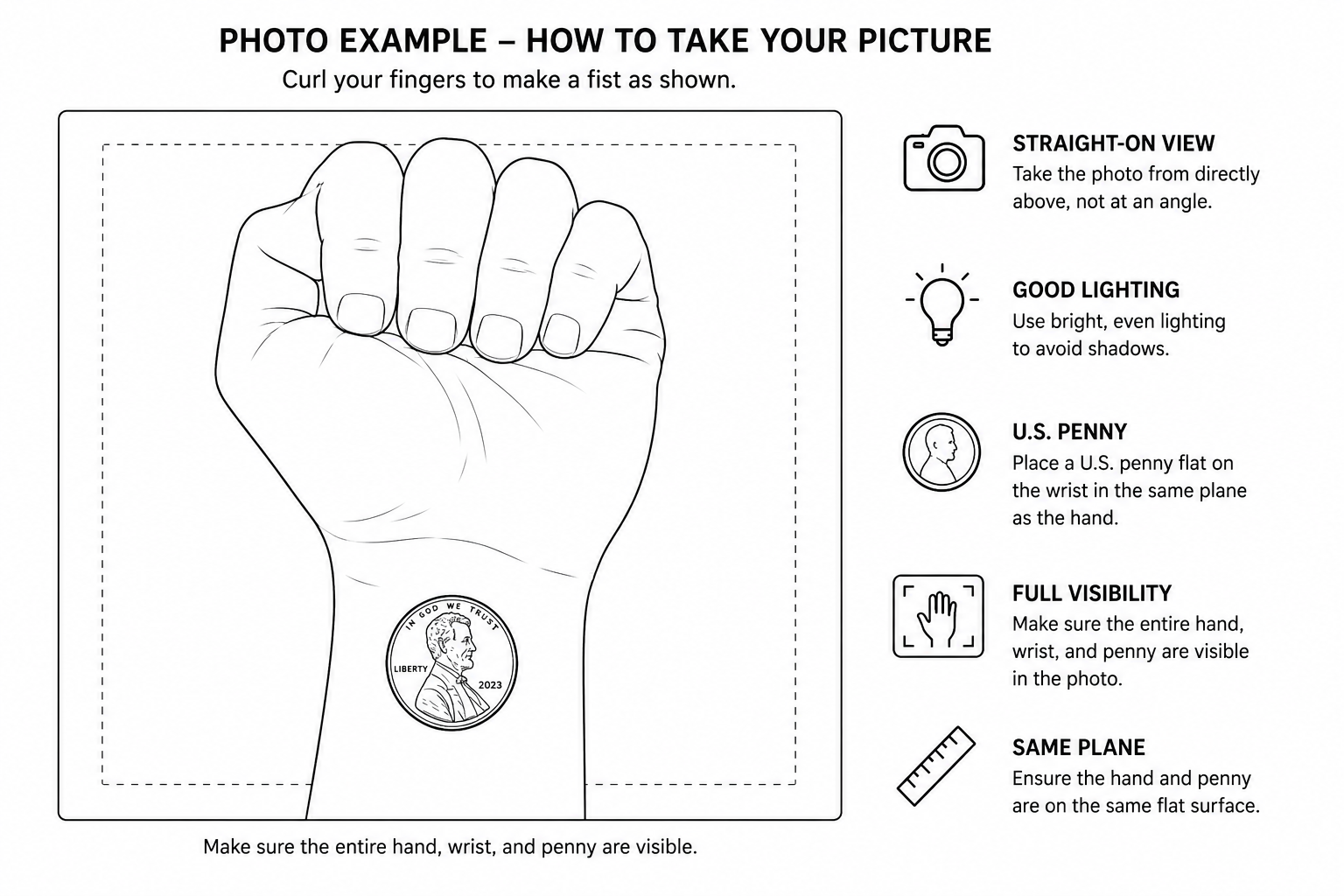
Example photo setup: curled fingers, palm visible, penny for scale.
Photo tip: The penny must be in the same plane as the hand. If the penny is closer to the camera
than the fingers, the measurement will be inaccurate.
Image Measurement
No image loaded
Upload a hand photo to begin.
Results
| Finger | Distance | Pixels | Calibration |
|---|---|---|---|
| No measurements yet. | |||